📜 In This Article
- What is Hypothecation on an RC?
- Step 1 — Close Loan and Get Bank Documents
- Understanding Form 35
- Documents Required
- Apply Online via Vahan Portal
- Apply Offline at the RTO
- Fees Breakdown
- How Long Does It Take?
- Why Hypothecation Removal Matters
- Track Application Status
- Common Errors and Fixes
- Frequently Asked Questions
What is Hypothecation on an RC?
When you buy a vehicle using a car loan or two-wheeler loan, the lender (bank or NBFC) records their financial interest on your vehicle's Registration Certificate. This is called hypothecation — it is a legal note on the RC that says the vehicle is pledged as collateral to the lender until the loan is fully repaid.
On your RC, it appears as "Hypothecated to — [Bank Name]". This means the bank technically has a co-ownership interest in the vehicle. Even after you pay off the last EMI, this entry does not disappear automatically — you must apply to have it removed.
Step 1 — Close Loan and Get Required Documents from Bank
Before you can apply for hypothecation removal at the RTO, you must complete the loan closure at your bank and collect two key documents: the NOC and Form 35.
-
1Ensure your vehicle loan is fully paid off — all EMIs cleared, no outstanding principal, interest, or foreclosure charges. Contact your bank's loan department to confirm the loan account is closed.
-
2Request the Loan Closure Letter from your bank. This is a formal document confirming the loan has been repaid in full. Keep multiple copies.
-
3Request the No Objection Certificate (NOC) from the bank. The NOC confirms the bank has no further financial interest in the vehicle and raises no objection to the removal of hypothecation from the RC. Most banks issue the NOC within 2–3 weeks of loan closure; many now send it digitally.
-
4Request Form 35 (Notice of Termination of Hypothecation Agreement) signed and stamped by the bank. The bank will issue this in duplicate — one copy for the RTO and one for your records. The bank's authorised signatory must sign and apply the official bank seal to both copies.
-
5Check that all details on Form 35 and the NOC exactly match your RC — registration number, chassis number, engine number, owner name, and bank name. Any mismatch will cause rejection at the RTO.
Understanding Form 35 — Notice of Termination of Hypothecation
Form 35 is the official prescribed form under the Central Motor Vehicles Rules, 1989. It is the legal document that formally terminates the hypothecation agreement between the vehicle owner and the lender. Without Form 35, the RTO cannot process hypothecation removal.
What Form 35 Contains
- Introductory section: Details of the registered owner — name, address, registration number, chassis number, engine number, and the name of the RTO
- Financier details: Name and address of the bank or NBFC that issued the vehicle loan
- Termination statement: Formal declaration that the loan has been repaid and the hypothecation agreement is terminated
- Signatures: Signed by both the vehicle owner (borrower) and the bank's authorised signatory
- Bank seal: Official stamp of the financial institution is mandatory
- Date of termination: The date the hypothecation agreement was terminated (loan closure date)
Who Signs Form 35?
Both the vehicle owner and the bank's authorised signatory must sign Form 35. The bank usually pre-fills and signs their portion. You sign the owner's portion when you collect it from the bank. Some banks now allow you to sign digitally via their online banking portal.
Documents Required for Hypothecation Removal
- Form 35 — filled, signed by both owner and bank, with bank seal (2 copies)
- Bank NOC (No Objection Certificate) — original, within 90-day validity
- Loan Closure Letter — from the bank confirming full repayment
- Original RC (Registration Certificate) — to be submitted to the RTO for update/reissuance
- Valid insurance certificate — active insurance policy for the vehicle
- Valid PUC certificate — current Pollution Under Control certificate
- Proof of identity — Aadhaar Card, Passport, Voter ID, or PAN Card
- Proof of address — Aadhaar, Passport, Voter ID, or utility bill
- Chassis and engine number pencil print — a pencil rubbing of the chassis plate and engine number engraving (required by many RTOs)
- Application fee receipt — after online payment
Apply Online via Vahan Portal — Step by Step
Most states support online hypothecation termination through the Vahan Citizen Services portal. Some states require a brief RTO visit for document verification even after online submission.
-
1Go to vahan.parivahan.gov.in/vahanservice/vahan/. Enter your vehicle registration number and click "Proceed."
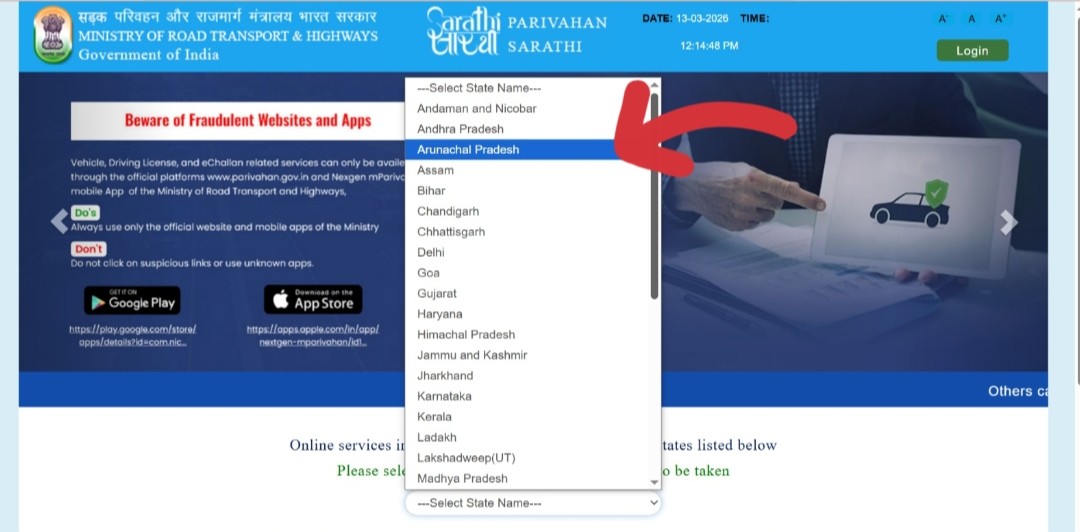 Visit the Vahan portal and enter your vehicle registration number
 -
2Log in with your mobile number (registered with the vehicle on Vahan). New users can register quickly with a mobile number and email — takes under 2 minutes.
-
3Click on "Basic Services" from the top menu on the Vahan Citizen Services page.
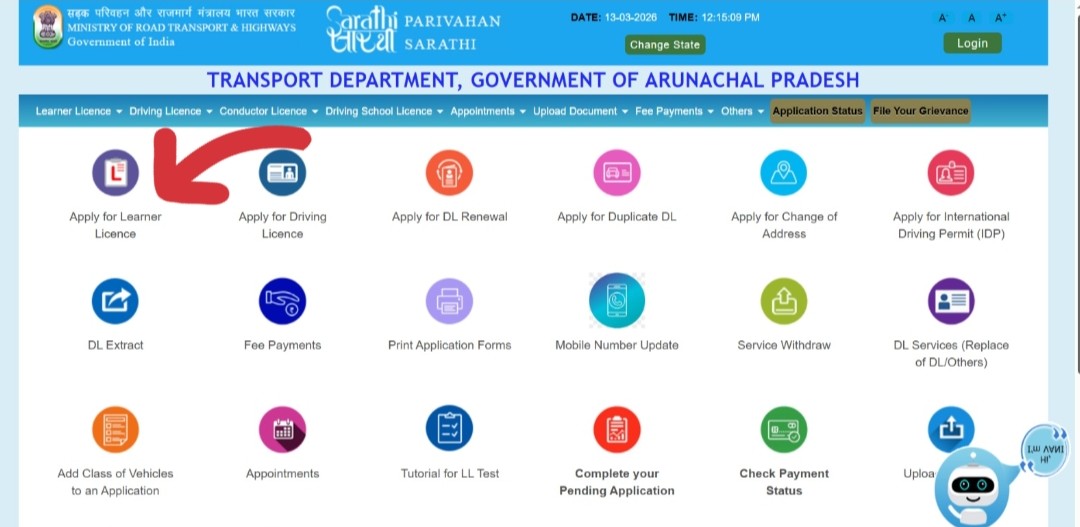 Click Basic Services on the Vahan Citizen Services page
 -
4Enter the last 5 digits of your chassis number and click "Validate Regn_no/Chasi_no." This confirms your ownership.
-
5Click "Generate OTP." Enter the OTP sent to your registered mobile number and click "Submit."
-
6From the available services list, select "Hypothecation Termination (HPT)."
-
7Fill in the service details — enter the bank/financier name, loan account number, date of loan closure, and NOC reference number.
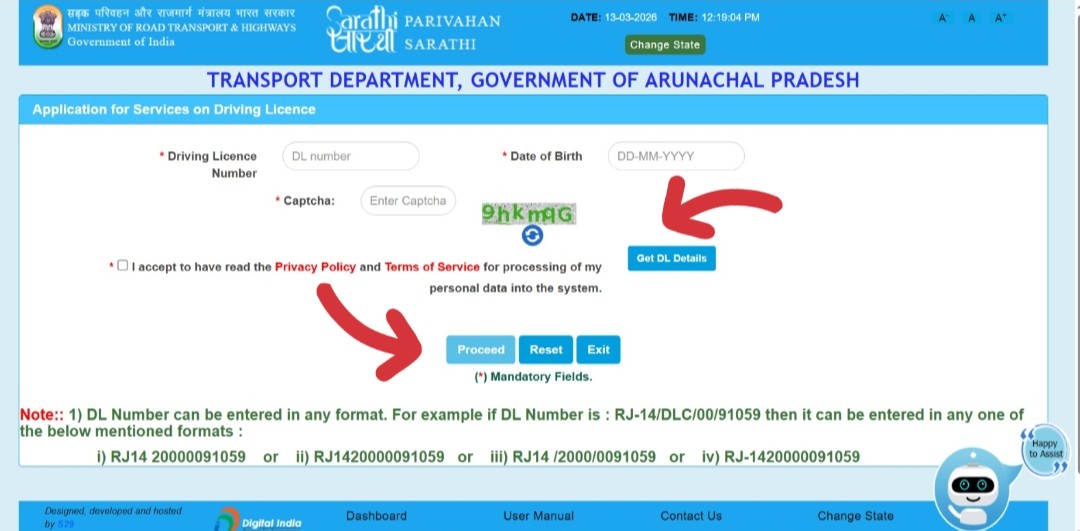 Enter bank name, loan closure date, and NOC details
 -
8Update your insurance details — enter the current insurance policy number and validity dates. This is mandatory for all Vahan RC service applications.
-
9Review the fee panel. The applicable hypothecation termination fee will be displayed. Click "Proceed" and pay online via UPI, debit card, credit card, or net banking. Save the payment receipt.
-
10Upload all required documents — scanned Form 35, bank NOC, loan closure letter, insurance certificate, PUC certificate, proof of identity, and proof of address. Files must be in JPG or PDF format, under 500 KB each.
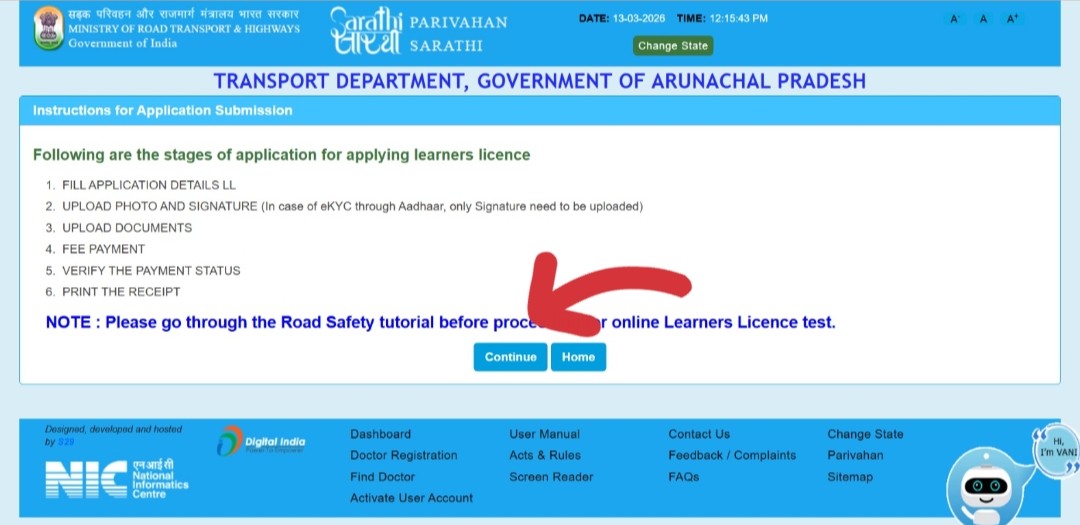 Upload Form 35, NOC, and all other required documents
 -
11If your state requires it, book an RTO appointment for physical document submission and vehicle verification. Some states process the entire application online without any RTO visit (faceless).
-
12Download the application acknowledgement with your reference number. Use this to track your application status online. The new RC without the bank's name will be dispatched to your registered address within 7–15 working days after approval.
Apply Offline at the RTO
If online services are not supported for your state or vehicle, visit the RTO where your vehicle is registered.
-
1Collect all required documents — Form 35 (signed and stamped by bank, 2 copies), bank NOC, loan closure letter, original RC, insurance, PUC, and proof of identity and address.
-
2Visit the RC Services desk at the RTO where your vehicle is registered. Submit your complete application set.
-
3The RTO officer will verify your documents and physically check the chassis and engine numbers against the RC. Bring the vehicle if required by the officer.
-
4Pay the hypothecation termination fee at the RTO counter. Collect the acknowledgement slip with your application reference number.
-
5The updated RC without the bank's hypothecation will be dispatched by speed post to your registered address within 7–15 days of approval.
Fees Breakdown
| Fee Component | Amount | Notes |
|---|---|---|
| Hypothecation Termination Fee | ₹100 – ₹500 | Paid to RTO. Standard MoRTH rate is ₹100; states may add surcharges up to ₹500. |
| Smart Card RC Reissuance | ₹200 | For printing new RC without bank name. Included in most state fees. |
| Speed Post / Delivery | ₹50 – ₹100 | For dispatching new RC to registered address. |
| Bank NOC and Form 35 | Free (most banks) | Banks must issue these documents free of charge after loan closure. Some private banks charge ₹50–₹200 — this is not an RTO fee. |
How Long Does the Entire Process Take?
| Stage | Time Required | Notes |
|---|---|---|
| Bank issues NOC + Form 35 | 7–21 days | After final EMI payment. Varies widely by bank. Follow up proactively. |
| Online application submission | 30–60 minutes | Once all documents are ready and scanned |
| RTO verification (if required) | 1 visit | Only if your state mandates in-person verification |
| RTO processing | 3–10 working days | Document verification and database update |
| RC printing and dispatch | 3–7 days | After RTO approval, new card printed and posted |
| Delivery by speed post | 3–7 days | Varies by location and postal service |
| Total (typical) | 2–6 weeks | From loan closure to receiving new RC in hand |
Why Removing Hypothecation Matters
Many vehicle owners pay off their loan and never bother removing the hypothecation — this is a mistake that creates problems later. Here is why completing this step is important:
Sell Your Vehicle at Full Market Value
A vehicle with hypothecation still on the RC is seen as potentially encumbered. Buyers and used car platforms (like CARS24, Spinny) will offer lower prices or refuse to buy until you clear the hypothecation. Removing it gives you full negotiating power and proves clean ownership.
Smooth Insurance Renewal and Claims
Some insurance companies require you to update the RC status after loan closure. If the RC still shows the bank as a lienholder, claims may be complicated or delayed. A clean RC ensures smooth policy renewals and hassle-free claim settlements.
Ownership Transfer Becomes Simple
Transferring ownership of a vehicle with active hypothecation requires the bank's NOC before the RTO will process the transfer. If you have already removed the hypothecation, ownership transfer (Form 29/30) is straightforward with no bank involvement needed.
Correct Legal Record
Your RC is an official government document. Having incorrect or outdated information (bank name that should no longer be there) creates a discrepancy between your legal and actual ownership status. Keeping it accurate is your legal responsibility.
How to Track Your Application Status
After submitting your hypothecation termination application, check its status online:
-
1Go to vahan.parivahan.gov.in/vahanservice and log in with your mobile number.
-
2Click "Status" in the top menu → "Know Your Application Status."
-
3Enter your application reference number or vehicle registration number and search. The current stage will be shown.
Status meanings:
- In Process — application is being reviewed by the RTO. Wait a few more days.
- Processed / Approved — hypothecation removed. New RC will be dispatched soon.
- Not Processed / Rejected — there is an issue with your documents. Visit the RTO or call the helpline to understand the reason and resubmit.
Common Errors and Fixes
The bank's hypothecation details may not be correctly recorded in the Vahan database, or the bank name format differs between the RC and the Vahan database.
The RTO or portal rejects Form 35 if the bank's authorised signatory has not signed it or the official bank seal is missing.
You collected the NOC months ago but delayed filing the application. The NOC's 90-day validity has now lapsed.
The mobile number registered with the vehicle on the Vahan system is outdated.
The chassis number, engine number, or owner's name on Form 35 does not exactly match the RC — even a single character difference causes rejection.
Frequently Asked Questions
No. Paying off the loan closes your bank account but does not update your RC. The RC continues to show the bank's name until you complete the hypothecation termination process at the RTO. You must actively apply for removal.
Most banks issue the NOC and Form 35 within 7–21 days of loan closure. Under RBI guidelines, banks are required to issue these within 30 days. If your bank exceeds 30 days, file a written complaint with the branch manager and escalate to the banking ombudsman.
Technically possible but not recommended. The buyer will need the bank's NOC for ownership transfer anyway, and most buyers are unwilling to purchase a vehicle with active hypothecation. Remove the hypothecation first — it makes the sale significantly smoother and typically fetches a better price.
Apply for a Duplicate RC first (see our guide), then apply for hypothecation removal using the new duplicate RC. Do not try to combine both processes unless your RTO specifically allows it — most RTOs process them separately.
No. Your vehicle registration number stays the same. The RC is updated and reprinted with the same number — the only change is the removal of the bank's name from the "Hypothecated to" field.
There is no specific law that penalises you for not removing hypothecation after loan closure. However, practically speaking, it is essential for ownership transfer, insurance updates, and resale. Leaving it undone creates legal and financial complications — it is strongly advisable to complete it within 14–30 days of loan closure.
Yes. Check your vehicle details on the Vahan portal (vahan.parivahan.gov.in) under Know Your Vehicle Details, or send an SMS: VAHAN [registration number] to 7738299899. If the hypothecation has been removed, the "Hypothecated to" field will show NIL or will be blank.
Contact the successor bank (in case of merger) or the loan recovery department. For banks that have been shut down, contact the RBI-appointed administrator. They are legally required to issue loan closure documentation and the NOC even after a bank's closure or merger. This process may take longer — contact the RBI helpline for guidance.